
PHPSOAP服务开发全解析
时间:2025-10-29 14:42:54 193浏览 收藏
文章小白一枚,正在不断学习积累知识,现将学习到的知识记录一下,也是将我的所得分享给大家!而今天这篇文章《PHP动态网页SOAP服务详解》带大家来了解一下##content_title##,希望对大家的知识积累有所帮助,从而弥补自己的不足,助力实战开发!
核心在于利用PHP的SOAP扩展构建基于WSDL的Web服务,通过SoapServer和SoapClient实现服务端与客户端的数据交互,支持复杂数据类型并强调安全性。
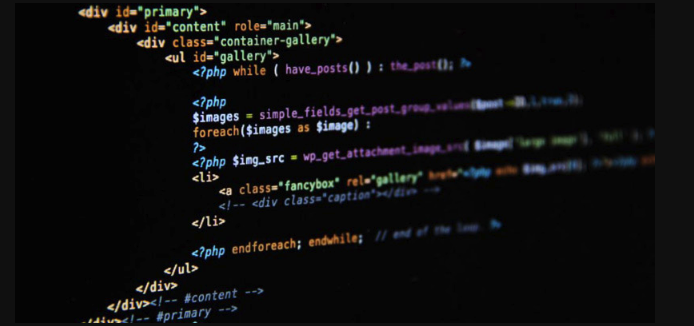
PHP动态网页SOAP协议Web服务构建的核心在于利用PHP处理动态网页请求,并使用SOAP协议进行数据交换,从而构建可互操作的Web服务。简单来说,就是让你的PHP网站能像个API一样,与其他系统用SOAP“对话”。
解决方案:
安装SOAP扩展: 确保你的PHP环境中安装了SOAP扩展。如果没安装,可以通过
pecl install soap命令安装,或者在php.ini文件中启用extension=soap。这是基础,没有它,一切免谈。定义WSDL文件: WSDL (Web Services Description Language) 文件是SOAP Web服务的“说明书”。它描述了服务提供的操作、参数类型以及数据结构。你可以手动编写WSDL文件,也可以使用工具自动生成。
创建SOAP服务器端: 使用PHP的
SoapServer类来创建一个SOAP服务器。服务器负责接收SOAP请求,处理请求,并返回SOAP响应。'http://example.com/calculator'); $server = new SoapServer("calculator.wsdl", $options); // 替换为你的WSDL文件路径 $server->setClass('Calculator'); $server->handle(); ?>创建SOAP客户端: 使用PHP的
SoapClient类来调用SOAP Web服务。客户端负责发送SOAP请求,并接收SOAP响应。'http://example.com/calculator', 'soap_version' => SOAP_1_1, 'exceptions' => true ); $client = new SoapClient("calculator.wsdl", $options); // 替换为你的WSDL文件路径 $result = $client->add(10, 5); echo "Result: " . $result; } catch (SoapFault $e) { echo "Error: " . $e->getMessage(); } ?>测试和调试: 使用SOAP客户端发送请求,验证服务器端是否正确处理请求并返回响应。可以使用工具如SoapUI来测试SOAP服务。
SOAP Web服务的优势与劣势?
SOAP的优势在于其严格的标准和安全性,非常适合企业级应用。WSDL文件提供清晰的服务描述,方便不同平台之间的互操作。然而,SOAP协议相对复杂,消息体积较大,对带宽要求较高,不如RESTful API简洁高效。选择SOAP还是REST,取决于你的具体需求和应用场景。
如何处理SOAP消息中的复杂数据类型?
SOAP支持复杂的数据类型,例如数组和对象。在WSDL文件中,你需要定义这些复杂数据类型的结构。在PHP代码中,可以使用对象或数组来表示这些数据类型,并确保服务器端和客户端对数据结构的理解一致。例如,你可以使用stdClass来表示一个对象,或者使用关联数组来表示一个复杂的数据结构。
SOAP Web服务的安全性考虑?
安全性是SOAP Web服务的重要考虑因素。可以使用WS-Security标准来保护SOAP消息,例如使用数字签名来验证消息的完整性和身份,使用加密来保护消息的机密性。此外,还可以使用HTTPS协议来保护SOAP消息在传输过程中的安全性。同时,对服务器端的输入进行验证和过滤,防止SQL注入和跨站脚本攻击。
以上就是本文的全部内容了,是否有顺利帮助你解决问题?若是能给你带来学习上的帮助,请大家多多支持golang学习网!更多关于文章的相关知识,也可关注golang学习网公众号。
-
501 收藏
-
501 收藏
-
501 收藏
-
501 收藏
-
501 收藏
-
305 收藏
-
284 收藏
-
413 收藏
-
135 收藏
-
246 收藏
-
162 收藏
-
417 收藏
-
104 收藏
-
217 收藏
-
105 收藏
-
460 收藏
-
260 收藏
-

- 前端进阶之JavaScript设计模式
- 设计模式是开发人员在软件开发过程中面临一般问题时的解决方案,代表了最佳的实践。本课程的主打内容包括JS常见设计模式以及具体应用场景,打造一站式知识长龙服务,适合有JS基础的同学学习。
- 立即学习 543次学习
-

- GO语言核心编程课程
- 本课程采用真实案例,全面具体可落地,从理论到实践,一步一步将GO核心编程技术、编程思想、底层实现融会贯通,使学习者贴近时代脉搏,做IT互联网时代的弄潮儿。
- 立即学习 516次学习
-

- 简单聊聊mysql8与网络通信
- 如有问题加微信:Le-studyg;在课程中,我们将首先介绍MySQL8的新特性,包括性能优化、安全增强、新数据类型等,帮助学生快速熟悉MySQL8的最新功能。接着,我们将深入解析MySQL的网络通信机制,包括协议、连接管理、数据传输等,让
- 立即学习 500次学习
-

- JavaScript正则表达式基础与实战
- 在任何一门编程语言中,正则表达式,都是一项重要的知识,它提供了高效的字符串匹配与捕获机制,可以极大的简化程序设计。
- 立即学习 487次学习
-

- 从零制作响应式网站—Grid布局
- 本系列教程将展示从零制作一个假想的网络科技公司官网,分为导航,轮播,关于我们,成功案例,服务流程,团队介绍,数据部分,公司动态,底部信息等内容区块。网站整体采用CSSGrid布局,支持响应式,有流畅过渡和展现动画。
- 立即学习 485次学习