
LaravelEloquentORM教程与查询技巧
时间:2025-12-01 09:29:35 135浏览 收藏
最近发现不少小伙伴都对文章很感兴趣,所以今天继续给大家介绍文章相关的知识,本文《Laravel Eloquent ORM使用教程及查询技巧》主要内容涉及到等等知识点,希望能帮到你!当然如果阅读本文时存在不同想法,可以在评论中表达,但是请勿使用过激的措辞~
答案:Laravel的Eloquent ORM通过模型操作数据库,支持CRUD、关联、作用域等功能;需定义模型类并配置表名、主键等,使用all()、where()、create()、update()、delete()等方法实现数据操作。
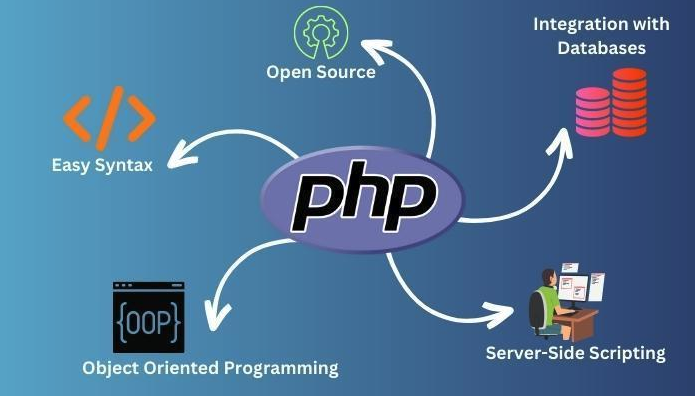
Laravel 的 Eloquent ORM 是一个功能强大的 ActiveRecord 实现,让你可以用面向对象的方式操作数据库。每个模型对应一张数据表,通过模型可以轻松实现增删改查、关联查询、作用域、访问器等高级功能。下面从基础操作到高级技巧,带你全面掌握 Eloquent ORM 的使用。
基础模型定义与配置
在使用 Eloquent 之前,首先要创建模型类。通常放在 app/Models 目录下(需手动创建目录并更新命名空间)。
例如,有一个 users 表,创建对应的模型:
namespace App\Models;

use Illuminate\Database\Eloquent\Model;

class User extends Model
{
    // 可选:指定表名(如果不遵循复数规则)
    protected $table = 'users';

    // 可选:指定主键字段
    protected $primaryKey = 'id';

    // 可选:关闭自动维护 created_at 和 updated_at
    public $timestamps = false;

    // 允许批量赋值的字段
    protected $fillable = ['name', 'email', 'password'];
}
注意:Laravel 默认假设模型名为单数,对应复数形式的数据表(如 User → users),若不符合规则需手动指定 $table。
基本增删改查操作
基于上面的 User 模型,进行常见 CRUD 操作。
查询所有记录:User::all();根据条件查询一条记录:
User::where('name', 'John')->first();
获取多条记录:
User::where('active', 1)->get();
插入新记录:
$user = new User;
$user->name = 'Alice';
$user->email = 'alice@example.com';
$user->save();

// 或使用 create 方法(需 fillable 配置)
User::create([
    'name' => 'Bob',
    'email' => 'bob@example.com'
]);
更新记录:
$user = User::find(1);
$user->name = 'New Name';
$user->save();

// 批量更新
User::where('active', 0)->update(['active' => 1]);
删除记录:
// 删除单个
$user = User::find(1);
$user->delete();

// 根据条件删除
User::where('created_at', 'subDays(30))->delete();
高级查询技巧
Eloquent 提供了丰富的链式调用方法,支持复杂查询场景。
分页查询:User::where('active', 1)->paginate(10);
在视图中可直接使用 {{ $users->links() }} 渲染分页导航。
排序与限制:User::orderBy('name', 'desc')->limit(5)->get();
范围查询(局部作用域):
在模型中定义常用查询封装:
class User extends Model
{
    public function scopeActive($query)
    {
        return $query->where('active', 1);
    }

    public function scopeByRole($query, $role)
    {
        return $query->where('role', $role);
    }
}
使用方式:
User::active()->byRole('admin')->get();
访问器与修改器:
用于格式化字段读取或写入时的行为。
// 访问器:获取 name 字段时首字母大写
public function getNameAttribute($value)
{
    return ucfirst($value);
}

// 修改器:保存 email 前转为小写
public function setEmailAttribute($value)
{
    $this->attributes['email'] = strtolower($value);
}
关联关系使用示例
Eloquent 支持多种关联关系,比如一对一、一对多、多对多等。
用户与文章(一对多):
class User extends Model
{
    public function posts()
    {
        return $this->hasMany(Post::class);
    }
}

class Post extends Model
{
    public function user()
    {
        return $this->belongsTo(User::class);
    }
}
使用:
$user = User::with('posts')->find(1); // 预加载避免 N+1
foreach ($user->posts as $post) {
    echo $post->title;
}
用户与角色(多对多):
class User extends Model
{
    public function roles()
    {
        return $this->belongsToMany(Role::class);
    }
}
中间表默认为 role_user,可通过参数自定义。
添加角色:
$user->roles()->attach($roleId);
读取带条件的角色:
$user->roles()->where('active', 1)->get();
基本上就这些。Eloquent 功能远不止这些,但掌握上述内容已能应对大多数开发需求。实际项目中建议结合文档深入使用事件、观查器、集合操作等特性。以上就是本文的全部内容了,是否有顺利帮助你解决问题?若是能给你带来学习上的帮助,请大家多多支持golang学习网!更多关于文章的相关知识,也可关注golang学习网公众号。
-
501 收藏
-
501 收藏
-
501 收藏
-
501 收藏
-
501 收藏
-
446 收藏
-
276 收藏
-
114 收藏
-
213 收藏
-
151 收藏
-
258 收藏
-
368 收藏
-
188 收藏
-
243 收藏
-
495 收藏
-
102 收藏
-
231 收藏
-

- 前端进阶之JavaScript设计模式
- 设计模式是开发人员在软件开发过程中面临一般问题时的解决方案,代表了最佳的实践。本课程的主打内容包括JS常见设计模式以及具体应用场景,打造一站式知识长龙服务,适合有JS基础的同学学习。
- 立即学习 543次学习
-

- GO语言核心编程课程
- 本课程采用真实案例,全面具体可落地,从理论到实践,一步一步将GO核心编程技术、编程思想、底层实现融会贯通,使学习者贴近时代脉搏,做IT互联网时代的弄潮儿。
- 立即学习 516次学习
-

- 简单聊聊mysql8与网络通信
- 如有问题加微信:Le-studyg;在课程中,我们将首先介绍MySQL8的新特性,包括性能优化、安全增强、新数据类型等,帮助学生快速熟悉MySQL8的最新功能。接着,我们将深入解析MySQL的网络通信机制,包括协议、连接管理、数据传输等,让
- 立即学习 500次学习
-

- JavaScript正则表达式基础与实战
- 在任何一门编程语言中,正则表达式,都是一项重要的知识,它提供了高效的字符串匹配与捕获机制,可以极大的简化程序设计。
- 立即学习 487次学习
-

- 从零制作响应式网站—Grid布局
- 本系列教程将展示从零制作一个假想的网络科技公司官网,分为导航,轮播,关于我们,成功案例,服务流程,团队介绍,数据部分,公司动态,底部信息等内容区块。网站整体采用CSSGrid布局,支持响应式,有流畅过渡和展现动画。
- 立即学习 485次学习