
PHP如何运行PHP文件详细教程
时间:2026-04-04 20:48:12 292浏览 收藏
本文详细介绍了在macOS系统(以MacBook Air和Sonoma为例)下运行PHP文件的四种实用方法:通过终端命令行直接执行、借助XAMPP等本地服务器环境访问、启用PHP内置开发服务器快速测试,以及关键的文件权限与服务器配置要点;无论你是初学者想快速验证代码,还是开发者需要模拟真实Web场景,都能找到适配自身需求的高效解决方案。
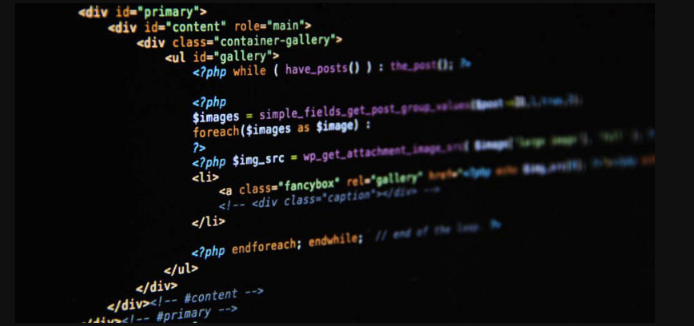
If you are trying to execute a PHP file on your server, you need to use the PHP interpreter correctly. Here are the steps to run a .php file:
The operating environment of this tutorial: MacBook Air, macOS Sonoma
1. Run PHP File via Command Line
Using the command line is one of the most direct ways to execute a PHP file. This method bypasses the web server and runs the script using the PHP interpreter directly.
- Open Terminal on your system
- Navigate to the directory containing your PHP file using cd /path/to/your/file
- Type php filename.php and press Enter
2. Execute PHP Through a Local Development Server
This method simulates a real web server environment. It's useful when your PHP script interacts with HTTP requests, sessions, or forms.
- Ensure your PHP development server is installed (e.g., XAMPP, MAMP, or built-in PHP server)
- Place your .php file in the server's document root (e.g., htdocs for XAMPP)
- Start the server service
- Open a browser and navigate to http://localhost/filename.php
3. Use Built-in PHP Development Server
The built-in server is lightweight and ideal for testing purposes. It does not require a full server stack installation.
- In Terminal, go to the folder where your PHP file is located
- Run the command php -S localhost:8000
- Open a browser and visit http://localhost:8000/filename.php
4. Configure File Permissions and MIME Type (if needed)
Sometimes the server may not recognize or execute the PHP file due to incorrect permissions or misconfigured handlers.
- Ensure the file has read permissions: chmod 644 filename.php
- Verify that your server is configured to parse .php files through the PHP module
- Check your server’s configuration file (e.g., httpd.conf or php.ini) includes the correct handler for .php extensions
本篇关于《PHP如何运行PHP文件详细教程》的介绍就到此结束啦,但是学无止境,想要了解学习更多关于文章的相关知识,请关注golang学习网公众号!
-
501 收藏
-
501 收藏
-
501 收藏
-
501 收藏
-
501 收藏
-
223 收藏
-
376 收藏
-
文章 · php教程 | 5小时前 | php教程 · PHP 8.4 · php ReflectionClass newLazyGhost newLazyProxy lazy object 重量级服务202 收藏
-
文章 · php教程 | 7小时前 | 面向对象 · PHP · PHP 8.4 · PHP非对称属性可见性 private(set) protected(set) PHP 8.4属性 PHP对象封装216 收藏
-
227 收藏
-
272 收藏
-
178 收藏
-
文章 · php教程 | 17小时前 | PHP · php-fpm · PHP OPcache opcache_reset validate_timestamps revalidate_freq opcache_invalidate382 收藏
-
117 收藏
-
167 收藏
-
448 收藏
-
341 收藏
-

- 前端进阶之JavaScript设计模式
- 设计模式是开发人员在软件开发过程中面临一般问题时的解决方案,代表了最佳的实践。本课程的主打内容包括JS常见设计模式以及具体应用场景,打造一站式知识长龙服务,适合有JS基础的同学学习。
- 立即学习 543次学习
-

- GO语言核心编程课程
- 本课程采用真实案例,全面具体可落地,从理论到实践,一步一步将GO核心编程技术、编程思想、底层实现融会贯通,使学习者贴近时代脉搏,做IT互联网时代的弄潮儿。
- 立即学习 516次学习
-

- 简单聊聊mysql8与网络通信
- 如有问题加微信:Le-studyg;在课程中,我们将首先介绍MySQL8的新特性,包括性能优化、安全增强、新数据类型等,帮助学生快速熟悉MySQL8的最新功能。接着,我们将深入解析MySQL的网络通信机制,包括协议、连接管理、数据传输等,让
- 立即学习 500次学习
-

- JavaScript正则表达式基础与实战
- 在任何一门编程语言中,正则表达式,都是一项重要的知识,它提供了高效的字符串匹配与捕获机制,可以极大的简化程序设计。
- 立即学习 487次学习
-

- 从零制作响应式网站—Grid布局
- 本系列教程将展示从零制作一个假想的网络科技公司官网,分为导航,轮播,关于我们,成功案例,服务流程,团队介绍,数据部分,公司动态,底部信息等内容区块。网站整体采用CSSGrid布局,支持响应式,有流畅过渡和展现动画。
- 立即学习 485次学习