
暮紫玄武岩裂隙手机壁纸怎么表现细窄暖光
来源:17golang原创
时间:2026-11-14 07:36:23 487浏览 收藏
想让玄武岩裂隙手机壁纸有一点暖光,关键不是把裂缝做成发光特效,而是先压住整体亮度,再让一条很细的暖色光线沿着真实的断层边缘出现。下面这组提示词只围绕一个主题:暮紫玄武岩、低亮暖光和适合锁屏的纵向留白。
先把主色调和锁屏留白定下来
主壁纸采用深梅紫、石墨黑和少量靛紫。主体岩层放在画面中下部,上方保留一整片低对比暗部,避免时钟、状态栏和应用图标压住最亮的裂隙。暖光只沿一条斜向细缝出现,亮度像从岩层内部透出来,而不是从表面打上一束灯。
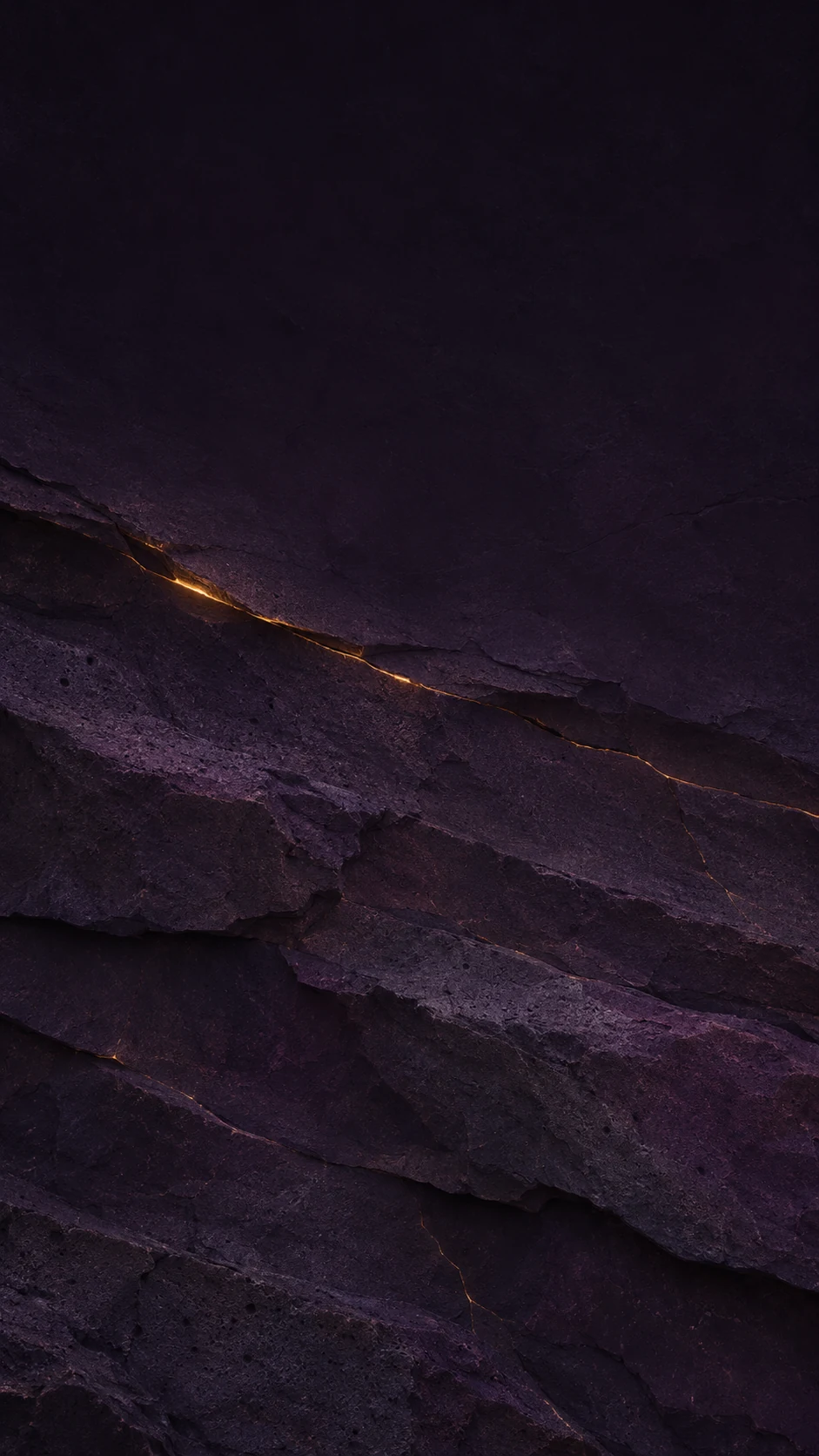
这张图的顶部留白比普通风景壁纸更重要。生成时可以把“broad dark quiet negative space across the top”保留下来;如果生成结果把岩层推到顶部,就把“brightest fissure below the upper third”改成“brightest fissure in the lower half”,让亮点进一步下移。
主壁纸的中文提示词与英文提示词
中文提示词要同时说清主体、光线和禁止项。下面的版本可以直接复制,重点是“细窄”“低亮”“上方留白”三个约束不要省略:
无文字、无标志、无水印的9:16原创手机锁屏壁纸;暮紫黑色玄武岩近距离矿物纹理,岩层横向叠压,细窄的琥珀暖光沿一条斜向发丝裂隙低亮泄出;上方三分之一保持大片安静的深色留白,用于时钟和状态图标;哑光石面、颗粒孔隙、清晰断层边缘;低调电影感,不要熔岩、火焰、霓虹、海报排版、文字、二维码、设备边框、界面或人物。
如果工具更擅长英文描述,可以使用对应英文版本:
Use case: stylized-concept
Asset type: original 9:16 phone lock-screen wallpaper
Primary request: a deep purple-black basalt mineral surface with narrow glowing warm amber fissures
Scene/backdrop: abstract close-up mineral surface, no device frame
Subject: vertically layered basalt slab with one restrained diagonal hairline crack
Style/medium: cinematic macro mineral illustration with realistic matte stone texture
Composition/framing: portrait 9:16; keep the brightest fissure below the upper third and leave a broad dark quiet negative-space zone across the top for clock and status icons
Lighting/mood: low-key violet ambient shadow, low-intensity warm amber light contained inside the crack, no explosive bloom
Color palette: deep plum, aubergine, charcoal black, muted indigo, restrained amber
Text: none
Constraints: no text, logo, watermark, QR code, interface, phone mockup, border, people, copyrighted character; keep the upper area dark and calm
Avoid: neon sci-fi, lava flow, fire, bright orange, excessive glow, poster layout, typography, app UI
用冷紫和铜光做一张明显不同的变体
变体不要只把“amber”换成“copper”就结束,否则两张图的构图会过于相似。这里同时改三处:把岩脊推到右下,把单一斜缝改为细小分支,把环境光从偏暖的暮紫改为左侧冷紫月光。铜金色只留在分支交汇处,画面会更安静。
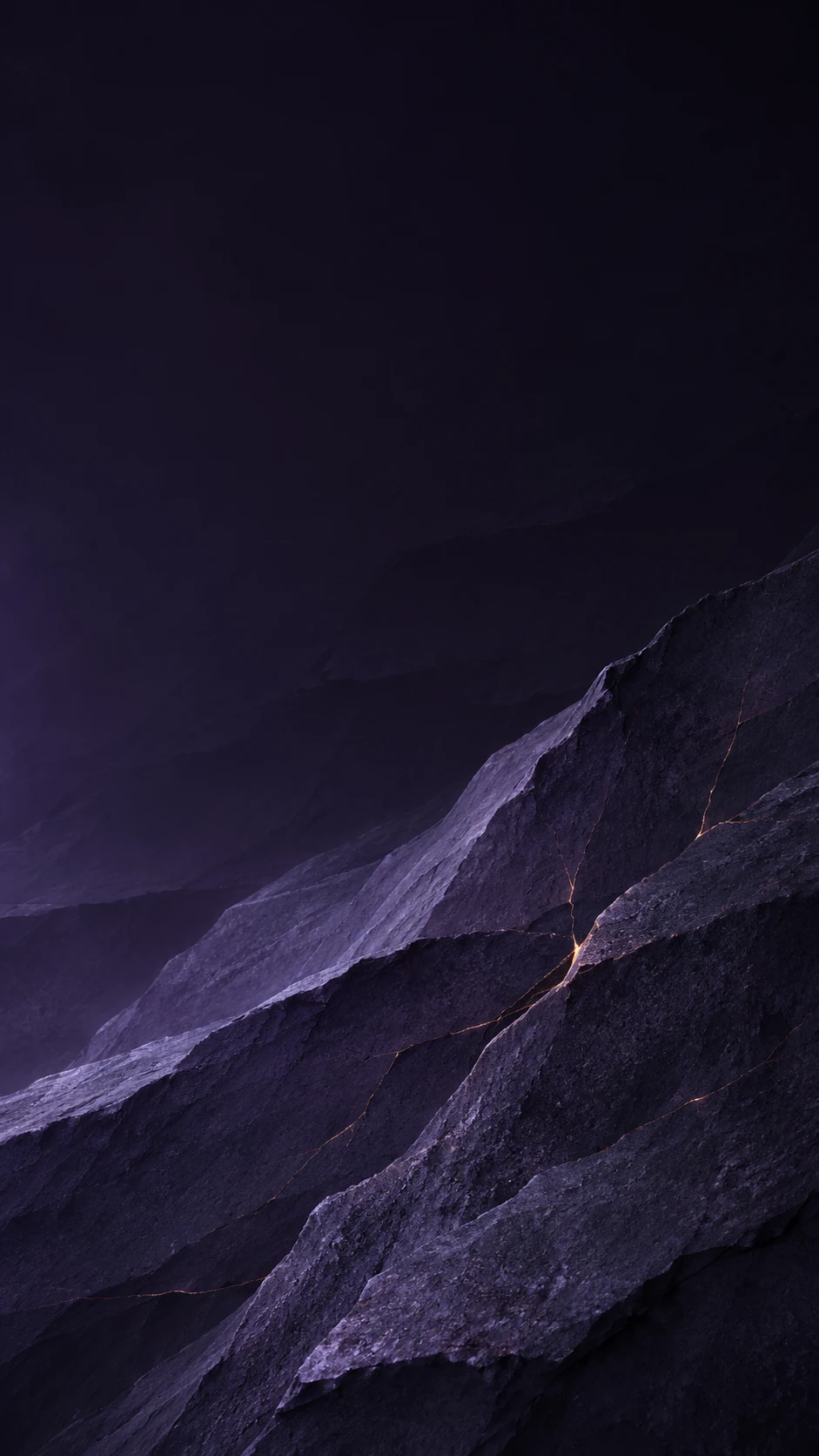
对应的中文提示词如下:
无文字、无标志、无水印的9:16原创手机锁屏壁纸变体;同一暮紫黑色玄武岩主题,但让层叠岩脊偏向右下,出现几条极细的分支裂隙;环境光改为冷紫月光,裂隙只泄出少量铜金色微光;上半部大面积暗而安静,形成纵向深度;不要明亮熔岩、饱和霓虹、大片光晕、海报排版、文字、二维码、设备边框、界面或人物。
英文对应版本:
Use case: stylized-concept
Asset type: original 9:16 phone lock-screen wallpaper variant
Primary request: a visibly different deep purple basalt wallpaper using cool moonlit violet and a thin copper-gold rim light
Scene/backdrop: abstract close-up mineral surface, no device frame
Subject: tall folded basalt planes with a narrow branching crack network
Style/medium: atmospheric geological macro illustration with realistic stone microtexture
Composition/framing: portrait 9:16; shift the main rock ridge toward the lower right, leave the upper half mostly dark and uncluttered for the lock-screen clock and icons, and create a vertical depth gradient
Lighting/mood: cool violet moonlight from the left, tiny copper-gold light leaking through cracks, soft edge separation, no broad halo
Color palette: ink purple, smoky violet, near-black graphite, dusty lavender, a small amount of copper gold
Text: none
Constraints: no text, logo, watermark, QR code, interface, phone mockup, border, people, copyrighted character; the upper area must remain calm and dark; clearly different lighting and composition from the first amber-fissure version
Avoid: bright lava, saturated neon, large glowing cracks, fantasy symbols, poster design, typography, app UI
替换哪些词,才能稳定改变观感
可以把提示词拆成五个可控变量。每次只改一到两个变量,比较容易找到适合自己手机图标和锁屏字体的版本。
- 主体位置:“below the upper third”适合把亮点压低;“lower right”会让左上方更适合放时间。
- 暖光强度:用“low-intensity”“restrained”“tiny”限制光量;不要同时加入“brilliant”“radiant”或“strong bloom”。
- 光线温度:“warm amber”偏暮色,“copper-gold”更像细金属边缘,“cool violet moonlight”会拉开冷暖层次。
- 纵向层次:“layered basalt planes”“vertical depth gradient”能让画面有前后距离,而不是一块平面石头。
- 锁屏留白:“broad dark quiet negative space”比单独写“clean background”更明确,能把空区放在顶部。
导出后先看手机预览:如果顶部太亮,降低环境光词的对比度;如果裂隙像火山熔岩,删掉与火焰、爆发、炽热有关的词;如果缩小后看不见裂隙,只增加一点线条对比,不要把整条裂缝改成宽光带。
下载前的锁屏调整清单
最后按四项快速检查:画面比例是9:16;顶部没有最亮主体;裂隙是细线而不是大片发光区域;画面中没有文字、标志、二维码、设备边框或界面元素。主图和变体都满足这四点后,再根据具体手机的裁切方式微调主体上下位置。
常见问题
为什么暖光总是变成很亮的熔岩?
通常是“glow”“radiant”一类词太强,或同时写了火焰、熔岩和炽热。保留“hairline crack”“low-intensity”“contained inside the crack”,并把环境整体亮度压到低调范围。
为什么顶部留白仍然放不下锁屏时间?
把主体位置明确写成下半部或右下,并加入“upper half mostly dark and uncluttered”。如果仍然不稳定,可以删掉会吸引模型把纹理铺满全画面的“dense detail”,保留“quiet negative space”。
-
500 收藏
-
500 收藏
-
500 收藏
-
500 收藏
-
500 收藏
-
132 收藏
-
480 收藏
-
351 收藏
-
291 收藏
-
245 收藏
-
444 收藏
-
250 收藏
-
434 收藏
-
353 收藏
-
258 收藏
-
226 收藏
-
258 收藏
-
- 前端进阶之JavaScript设计模式
- 设计模式是开发人员在软件开发过程中面临一般问题时的解决方案,代表了最佳的实践。本课程的主打内容包括JS常见设计模式以及具体应用场景,打造一站式知识长龙服务,适合有JS基础的同学学习。
- 立即学习 543次学习
-

- GO语言核心编程课程
- 本课程采用真实案例,全面具体可落地,从理论到实践,一步一步将GO核心编程技术、编程思想、底层实现融会贯通,使学习者贴近时代脉搏,做IT互联网时代的弄潮儿。
- 立即学习 516次学习
-

- 简单聊聊mysql8与网络通信
- 如有问题加微信:Le-studyg;在课程中,我们将首先介绍MySQL8的新特性,包括性能优化、安全增强、新数据类型等,帮助学生快速熟悉MySQL8的最新功能。接着,我们将深入解析MySQL的网络通信机制,包括协议、连接管理、数据传输等,让
- 立即学习 500次学习
-

- JavaScript正则表达式基础与实战
- 在任何一门编程语言中,正则表达式,都是一项重要的知识,它提供了高效的字符串匹配与捕获机制,可以极大的简化程序设计。
- 立即学习 487次学习
-
- 从零制作响应式网站—Grid布局
- 本系列教程将展示从零制作一个假想的网络科技公司官网,分为导航,轮播,关于我们,成功案例,服务流程,团队介绍,数据部分,公司动态,底部信息等内容区块。网站整体采用CSSGrid布局,支持响应式,有流畅过渡和展现动画。
- 立即学习 485次学习